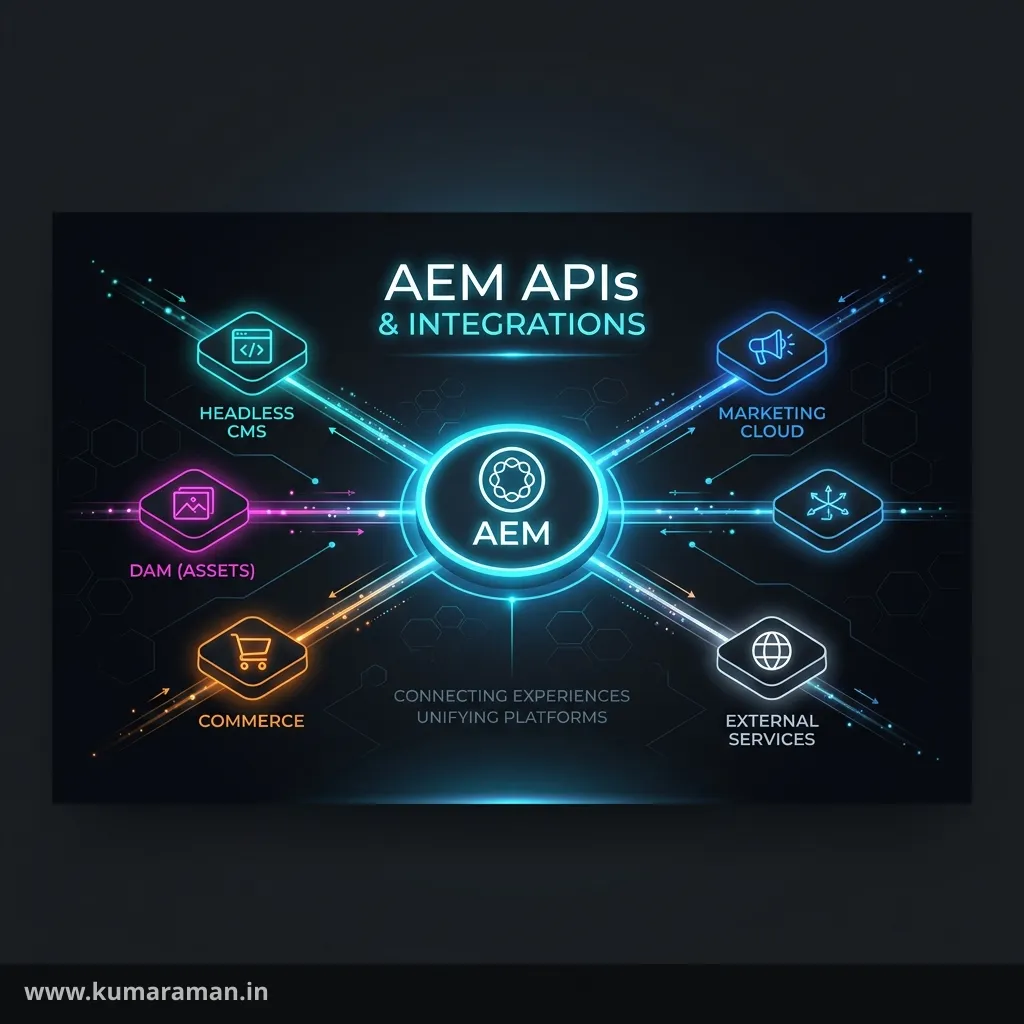
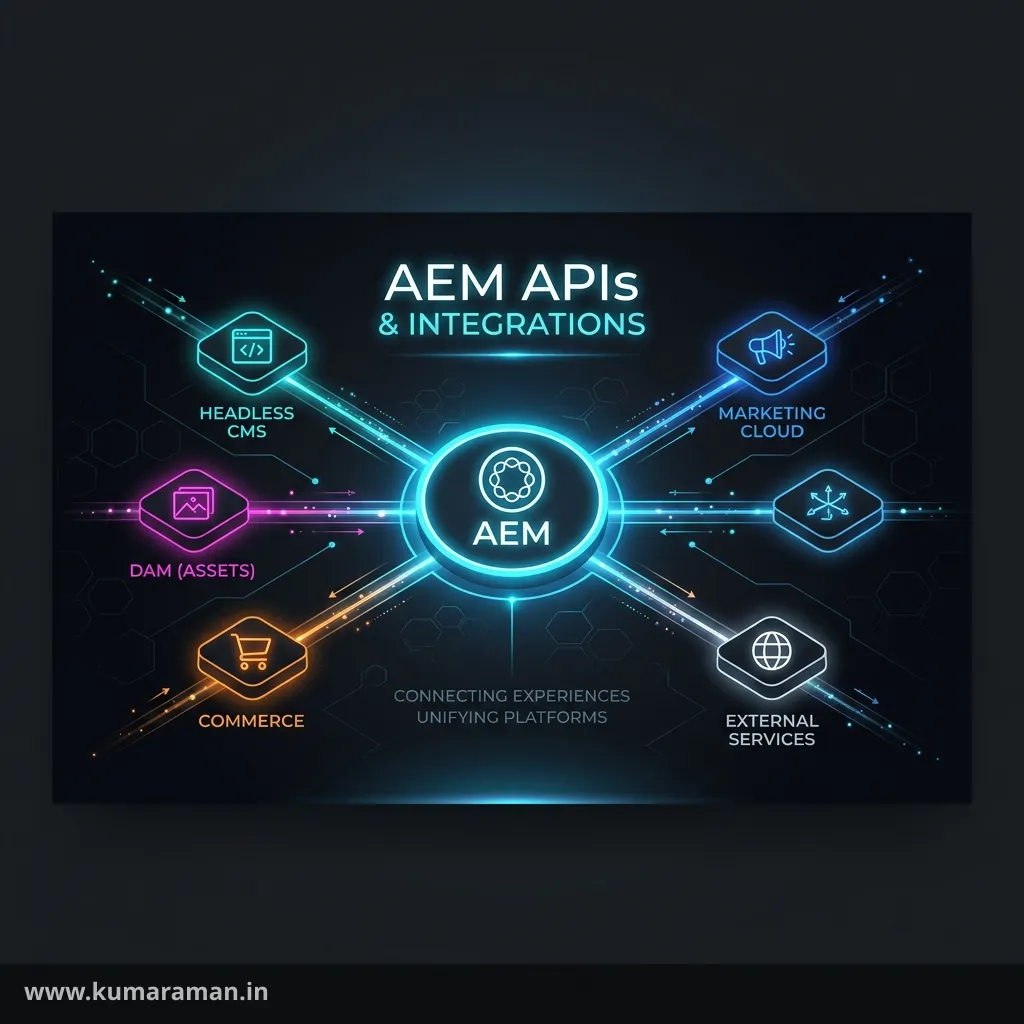
Real AEM projects rarely live in isolation. They expose content to mobile apps and SPAs, pull product data from a PIM, push leads to a CRM, call a payment or search service, and authenticate against an identity provider. Doing that well — securely, resiliently, and without blocking the platform — is a core backend skill, and it has its own set of tools and pitfalls.
This guide covers both directions of integration: how AEM exposes APIs (REST and GraphQL) and how it consumes external ones, along with the JSON, OAuth, and JWT mechanics that hold it together. The final section ties everything into a single, production-grade pattern for integrating an external service. A cheat sheet, best practices, and do's & don'ts close it out.
It builds on the Backend Development guide (servlets, jobs), the Apache Sling guide, and the Cloud Service guide (for secrets).
REST APIs
Because AEM is built on Sling, it is RESTful by nature — and integration works in two directions, so it's worth treating each separately.
Exposing REST from AEM. Out of the box, appending .json to any resource path returns its content as JSON (the Sling default GET servlet), and a Sling Model with an exporter serves a clean .model.json (below). For anything custom — a search endpoint, a form handler — you write a Sling Servlet, bound to a resource type and constrained by selectors, extension, and method:
@Component(service = Servlet.class)
@SlingServletResourceTypes(
    resourceTypes = "mysite/components/search",
    selectors = "results",
    extensions = "json",
    methods = HttpConstants.METHOD_GET)
public class SearchServlet extends SlingSafeMethodsServlet {
    @Override
    protected void doGet(SlingHttpServletRequest req, SlingHttpServletResponse resp)
            throws IOException {
        resp.setContentType("application/json");
        // ... write JSON ...
    }
}
Consuming REST in AEM. To call an external API, wrap an HTTP client in an OSGi service. Modern Java's built-in HttpClient is a clean choice:
HttpClient client = HttpClient.newBuilder()
    .connectTimeout(Duration.ofSeconds(5))
    .build();

HttpRequest request = HttpRequest.newBuilder()
    .uri(URI.create(endpoint + "/products/123"))
    .header("Accept", "application/json")
    .timeout(Duration.ofSeconds(10))
    .GET()
    .build();

HttpResponse<String> response = client.send(request, HttpResponse.BodyHandlers.ofString());
if (response.statusCode() == 200) {
    // parse response.body()
}
Two rules apply on both sides: prefer resource-type-bound servlets over path-bound ones (they inherit access control — see the Sling guide), and set timeouts on every outbound call so a slow third party can't tie up AEM threads.
JSON Processing
JSON is the lingua franca of integration, and in AEM the standard library for it is Jackson (com.fasterxml.jackson). For producing JSON from a component you usually don't touch Jackson directly — you add the @Exporter to a Sling Model and AEM serializes it for you, available at .model.json:
@Model(adaptables = SlingHttpServletRequest.class,
       adapters = { Product.class, ComponentExporter.class },
       resourceType = "mysite/components/product",
       defaultInjectionStrategy = DefaultInjectionStrategy.OPTIONAL)
@Exporter(name = "jackson", extension = "json")
public class ProductModel implements Product, ComponentExporter { }
For consuming JSON — turning an external API's response into typed Java — use a Jackson ObjectMapper to deserialize into a POJO:
ObjectMapper mapper = new ObjectMapper()
    .configure(DeserializationFeature.FAIL_ON_UNKNOWN_PROPERTIES, false);

Product product = mapper.readValue(response.body(), Product.class);
Disabling FAIL_ON_UNKNOWN_PROPERTIES is a small but important habit: third-party APIs add fields over time, and you don't want a new field they ship to break your integration. Shape the output of your own exporters with Jackson annotations (@JsonProperty, @JsonIgnore, @JsonInclude) — detailed in the Annotations reference.
GraphQL
For headless delivery, AEM provides a GraphQL API over Content Fragments. When you define a Content Fragment Model, AEM automatically generates a GraphQL schema from it, and clients query exactly the fields they need — no over- or under-fetching.
A query against an article model looks like this:
{
  articleList {
    items {
      title
      author
      publishDate
    }
  }
}
There are two ways to run queries. During development you POST ad-hoc queries to the endpoint (/content/cq:graphql/<config>/endpoint.json). For production you use persisted queries — queries saved server-side and invoked by name over a cacheable GET request, which is faster and far safer (clients can't send arbitrary expensive queries). GraphQL pairs with Content Fragments specifically; the structured, presentation-neutral content model is what makes it work (see the Developer Cheat Sheet, and generate models quickly with my Content Fragment Model generator).
Tip: Always prefer persisted queries in production. They're cacheable at the Dispatcher and CDN, and they prevent clients from issuing unbounded queries that could overload publish.
OAuth
When an integration needs authentication, OAuth 2.0 is the standard, and the grant type that matters most for AEM is client credentials — the server-to-server flow where no human is involved. AEM authenticates itself to an external service, receives a short-lived access token, and includes it on subsequent calls.
The flow is: request a token from the provider's token endpoint, then use it as a Bearer token until it expires.
// 1) Exchange client credentials for an access token
HttpRequest tokenReq = HttpRequest.newBuilder()
    .uri(URI.create(tokenEndpoint))
    .header("Content-Type", "application/x-www-form-urlencoded")
    .POST(HttpRequest.BodyPublishers.ofString(
        "grant_type=client_credentials&client_id=" + clientId +
        "&client_secret=" + clientSecret))
    .build();
// → parse access_token + expires_in from the JSON response

// 2) Call the protected API with the token
HttpRequest apiReq = HttpRequest.newBuilder()
    .uri(URI.create(apiEndpoint))
    .header("Authorization", "Bearer " + accessToken)
    .GET().build();
Two practices make this robust. Cache the token until shortly before it expires rather than fetching a new one per call — token endpoints are rate-limited. And store the client_secret as a secret environment variable ($[secret:...]), never in code or Git — see the Cloud Service guide. For Adobe's own APIs, the equivalent is the OAuth Server-to-Server credential from the Adobe Developer Console, which has replaced the older JWT-based service credentials.
JWT
A JSON Web Token (JWT) is a compact, signed token that carries claims, and it's the currency of modern token-based auth — the access token in the OAuth flow above is very often a JWT. Its structure is three Base64URL segments separated by dots:
header.payload.signature

header    → { "alg": "RS256", "typ": "JWT" }
payload   → { "sub": "user-123", "iss": "https://idp.example.com",
              "aud": "my-app", "exp": 1718380800 }
signature → cryptographic signature over header + payload
You'll meet JWTs in two roles. As a consumer, AEM may receive a JWT from an identity provider and must validate it before trusting it — verify the signature against the issuer's public key, and check the standard claims: exp (not expired), iss (expected issuer), and aud (intended for you). As a producer, you may sign a JWT to authenticate to a service. Use a vetted library (such as jjwt or nimbus-jose-jwt); never parse or trust a JWT by hand.
Important: A JWT is only as trustworthy as its signature verification. Decoding the payload is not validation — always verify the signature and the
exp/iss/audclaims before acting on a token. And remember Adobe deprecated the JWT service-credential flow in favor of OAuth Server-to-Server.
External Service Integration
Now bring it together. A well-built integration is more than an HTTP call — it's an OSGi service that's configurable, secure, resilient, and non-blocking. This is the pattern to reach for:
- Wrap it in an OSGi service with an interface, so the rest of your code depends on the contract, not the HTTP details.
- Make it configurable via
@ObjectClassDefinition, with the endpoint as an$[env:...]variable and the credentials as$[secret:...]. - Be resilient — set connect and read timeouts on every call, retry transient failures with backoff, and consider a circuit breaker so a failing dependency degrades gracefully instead of cascading.
- Don't block request threads. For anything that isn't needed to render the current response — syncing to a CRM, sending to an external queue — hand the work to a Sling Job so it runs asynchronously and reliably (see the Sling guide).
- Cache responses where the data tolerates it, to cut latency and protect the third party from your traffic.
- Pool connections — reuse a single configured
HttpClientinstead of creating one per request.
@Component(service = CrmService.class)
@Designate(ocd = CrmServiceImpl.Config.class)
public class CrmServiceImpl implements CrmService {

    @ObjectClassDefinition(name = "CRM Integration")
    public @interface Config {
        @AttributeDefinition(name = "Base URL") String baseUrl() default "$[env:CRM_URL]";
    }

    private HttpClient client;   // created once in @Activate, reused

    @Activate @Modified
    protected void activate(Config config) {
        this.client = HttpClient.newBuilder()
            .connectTimeout(Duration.ofSeconds(5)).build();
    }
}
The thread of all of this: fail gracefully and never let a third party degrade AEM. A site should still render if the CRM is down — the integration should time out, log, and move on, not hang the page.
Cheat sheet
| Need | Use |
|---|---|
| Expose content as JSON | .json (default) or .model.json (@Exporter) |
| Custom REST endpoint | resource-type-bound Sling Servlet |
| Call an external REST API | HttpClient in an OSGi service (with timeouts) |
| Parse JSON response | Jackson ObjectMapper.readValue(...) |
| Headless content delivery | GraphQL API over Content Fragments (persisted queries) |
| Server-to-server auth | OAuth 2.0 client credentials (cache the token) |
| Token format / validation | JWT — verify signature + exp/iss/aud |
| Async / heavy integration | Sling Job |
| Store credentials | $[secret:...] env variable |
Best practices
- ✅ Wrap every integration in a configurable OSGi service behind an interface.
- ✅ Set timeouts, retries with backoff, and consider a circuit breaker on outbound calls.
- ✅ Run non-essential integrations asynchronously via Sling Jobs.
- ✅ Use persisted GraphQL queries in production for caching and safety.
- ✅ Store secrets in
$[secret:...]and cache OAuth tokens until near expiry. - ✅ Validate JWTs (signature + claims) before trusting them.
Do's and Don'ts
Do
- ✅ Reuse a single pooled
HttpClientacross requests. - ✅ Tolerate unknown JSON fields (
FAIL_ON_UNKNOWN_PROPERTIES = false). - ✅ Degrade gracefully — render the page even if a dependency is down.
Don't
- ❌ Don't make blocking external calls on the request thread for non-essential work.
- ❌ Don't put credentials in code, Git, or
.cfg.json— use secret variables. - ❌ Don't trust a JWT without verifying its signature and claims.
- ❌ Don't allow arbitrary ad-hoc GraphQL queries in production — persist them.
- ❌ Don't bind integration servlets to broad
/binpaths without Dispatcher allow-listing.
Wrapping up
Integration is where AEM meets the rest of your stack, and doing it well is a matter of discipline as much as code. Expose content cleanly with Sling REST and the GraphQL API, process JSON with Jackson, authenticate with OAuth and validate JWTs properly, and wrap every external dependency in a configurable, resilient, non-blocking OSGi service that fails gracefully. Hold to those principles and your integrations will be secure, fast, and robust enough to trust in production.
Continue with the Backend Development guide for servlets and jobs, the Apache Sling guide for the request layer, and the Cloud Service guide for managing secrets and configuration.
Discussion
Loading discussion…
Try a related tool
Subscribe to the Newsletter
Get the latest articles, tutorials, and tech insights delivered straight to your inbox. No spam, unsubscribe anytime.