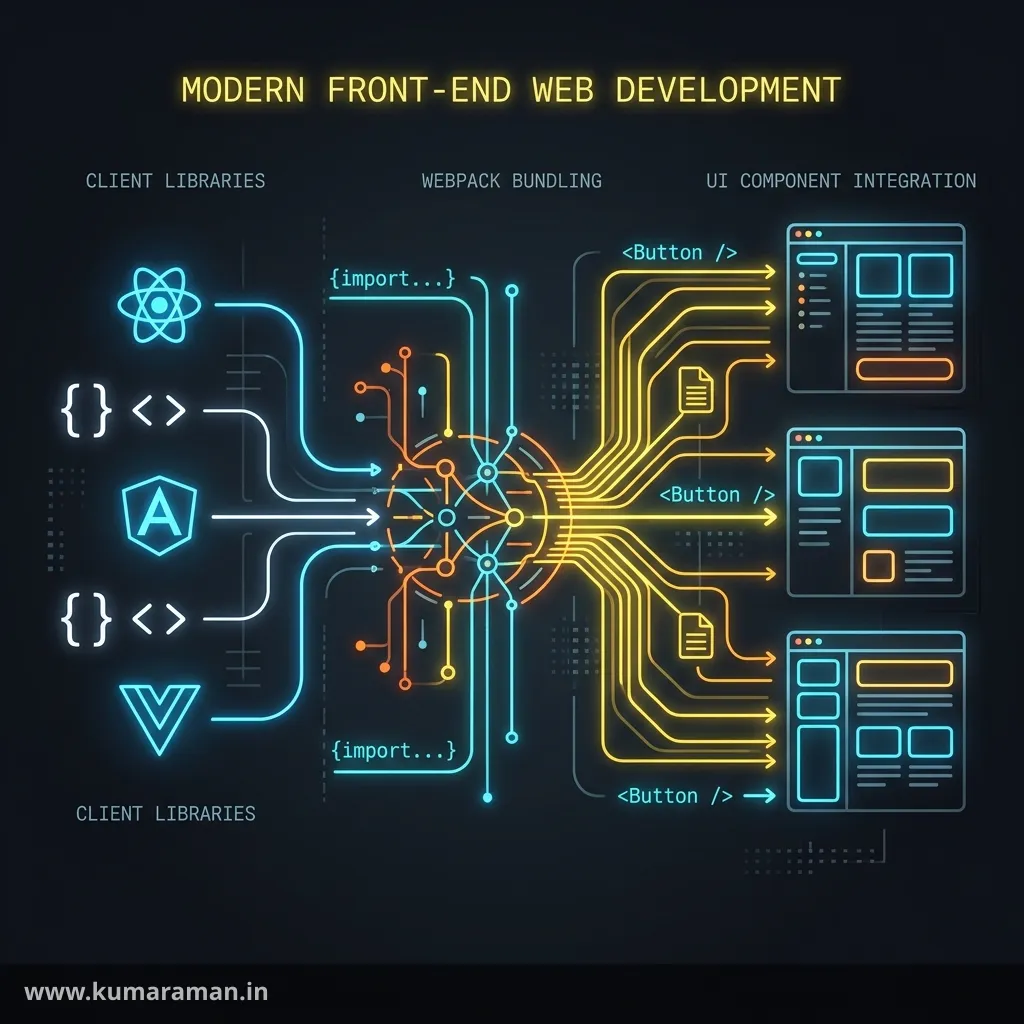
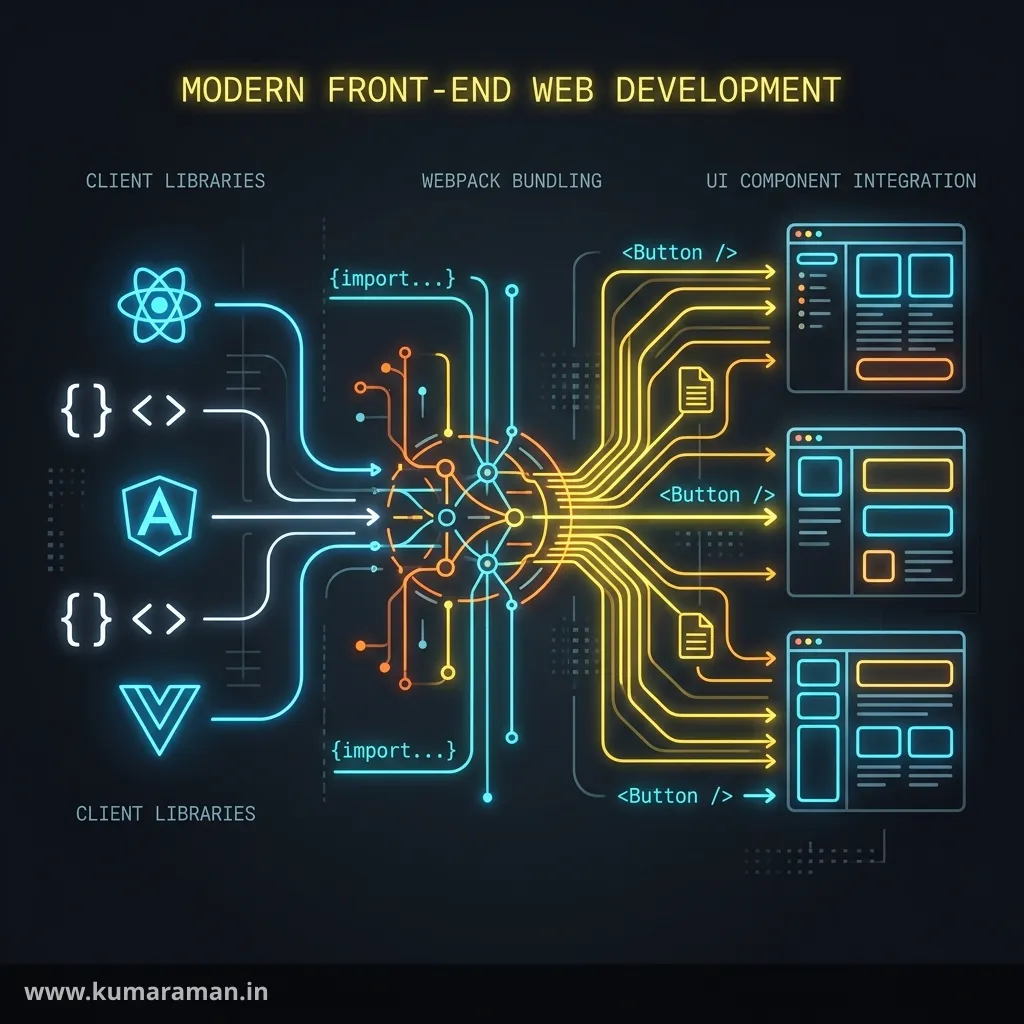
Front-end work in AEM is web development — HTML, CSS, JavaScript — but with one extra requirement that shapes everything: the markup has to remain authorable. An editor needs to drag components, edit text in place, and configure styles, which means the front end can't just be a static bundle bolted on; it has to integrate with how AEM renders and edits content. This guide explains that integration, from the markup HTL produces all the way to building a fully editable React SPA.
We'll cover where the front end lives in an AEM project, how HTML, CSS, JavaScript, and ES6 are used and built, how the ui.frontend Webpack module turns into a client library, and then the SPA path — React basics and the SPA Editor that keeps a React app fully authorable. A cheat sheet, best practices, and do's & don'ts close it out.
It builds on the HTL cheat sheet and the Component Development guide; for client libraries in the wider repository, see the Developer Cheat Sheet.
Where the front end lives in AEM
Before the specifics, it helps to know the landscape. A modern AEM project has a dedicated ui.frontend module — an ordinary npm + Webpack project — where all your SCSS and JavaScript live. It builds to a bundle that's copied into a client library in ui.apps and served to the browser. That's the plumbing; the approach you take on top of it is one of three:
- Traditional (server-rendered) — AEM renders HTML with HTL, and your client libraries add styling and behavior. The most common and simplest model.
- SPA Editor — a React or Angular single-page app renders the UI from a JSON model AEM produces, while staying fully authorable in the editor.
- Headless — AEM serves only content (Content Fragments over GraphQL); a completely separate front end renders it, with in-context editing via the Universal Editor.
This guide focuses on the traditional pipeline and the SPA Editor, since those are where "front-end integration" questions concentrate.
HTML
In AEM you rarely write static HTML files. Your markup is produced by HTL (the HTML Template Language) on the server, from a component's Sling Model — so "writing HTML" in AEM means writing HTL templates that output clean, semantic markup.
<sly data-sly-use.teaser="com.mysite.core.models.TeaserModel"/>
<article class="cmp-teaser">
    <h2 class="cmp-teaser__title">${teaser.title}</h2>
    <p class="cmp-teaser__desc">${teaser.description}</p>
</article>
Two conventions matter for integration. First, use semantic, accessible HTML — real headings, landmarks, and ARIA where needed — because AEM sites are held to accessibility standards. Second, follow a consistent CSS class convention (Core Components use cmp-<name> with BEM modifiers), because those class names are the contract between your markup and your styles. HTL itself, including all its block statements and escaping, is covered fully in the HTL cheat sheet.
CSS
Styling is authored as SCSS inside ui.frontend, compiled to CSS by Webpack, and delivered as part of a client library. The two practices that keep AEM CSS maintainable are a strict naming methodology and integration with the Style System.
BEM (Block–Element–Modifier) gives every component a predictable, collision-free class structure:
.cmp-teaser {
  &__title { font-size: 1.5rem; }
  &__desc  { color: #555; }
  &--featured { background: #f5f5f5; }   // modifier
}
The AEM-specific part is the Style System: rather than hard-coding variants or adding dialog checkboxes, you define author-selectable CSS classes in a component's policy, and the author picks them from a dropdown. Your job on the CSS side is simply to provide the class (.cmp-teaser--featured above); AEM adds it to the wrapper when the author selects it. This keeps presentation variants in CSS where they belong — see the Developer Cheat Sheet for how policies wire it up.
JavaScript
Component behavior — carousels, menus, lazy loading — is JavaScript that lives in ui.frontend and ships in a client library. The modern AEM style is vanilla JavaScript with progressive enhancement: the server renders working HTML, and JS enhances it, so the page is functional even before scripts run. A common pattern is to hook behavior onto a data attribute rather than a brittle CSS selector:
document.querySelectorAll('[data-cmp-is="carousel"]').forEach((el) => {
  // initialize the carousel on this element
});
This decouples behavior from styling classes, plays nicely with multiple instances of a component on one page, and is exactly how the Core Components' own JavaScript is structured. Heavy frameworks aren't required for traditional components — reach for React only when you're building an actual SPA.
ES6
You write modern ES6+ JavaScript — modules, arrow functions, const/let, template literals, classes, destructuring, and async/await — and Webpack (via Babel) transpiles it down to what target browsers support. The most consequential ES6 feature for AEM is modules, because they let you organize front-end code into importable files that Webpack bundles:
// carousel.js
export function initCarousel(el) { /* ... */ }

// main.js
import { initCarousel } from './carousel';
document.querySelectorAll('[data-cmp-is="carousel"]').forEach(initCarousel);
The reason transpilation exists is reach: you author with the latest syntax for developer ergonomics, and the build guarantees the shipped bundle runs on the browsers your audience uses. You configure the target range once (browserslist), and Babel handles the rest.
Client Libraries
A client library (cq:ClientLibraryFolder) is how your compiled CSS and JS actually reach the browser in AEM. The ui.frontend Webpack build outputs a bundle, and a tool — typically the aem-clientlib-generator — copies that output into a clientlib under ui.apps, complete with categories, dependencies, and embed metadata.
<jcr:root jcr:primaryType="cq:ClientLibraryFolder"
          categories="[mysite.site]"
          allowProxy="{Boolean}true"/>
AEM then bundles, minifies, versions, and serves the library — and you include it from a page or component via the clientlib HTL template. Always serve through the /etc.clientlibs proxy with allowProxy=true so the /apps tree is never exposed. The full anatomy of categories, dependencies, and embeds is in the Developer Cheat Sheet; the key integration point is simply that the Webpack build → clientlib step is what connects your front-end project to AEM.
Webpack basics
The ui.frontend module is a standard Webpack project, and understanding its moving parts demystifies the AEM front-end build. Webpack takes an entry file, applies loaders to transform each file type, runs plugins, and writes a bundled output:
module.exports = {
  entry: { site: './src/main/webpack/site/main.ts' },
  module: {
    rules: [
      { test: /\.tsx?$/, use: 'ts-loader' },                 // TypeScript → JS
      { test: /\.scss$/, use: ['css-loader', 'sass-loader'] } // SCSS → CSS
    ]
  },
  output: { path: path.resolve(__dirname, 'dist'), filename: '[name].js' }
};
The loaders are what matter day to day: babel-loader or ts-loader transpile your JS/TS, and sass-loader + css-loader compile SCSS. Your package.json exposes npm scripts (build, watch, dev) that run Webpack, and the build's dist/ output is what the clientlib generator copies into AEM. During development, a watch/proxy mode lets you see changes against a running AEM instance without a full deploy.
React basics
When you build an SPA, the rendering layer becomes React instead of HTL. The essentials are the same as any React project: components are functions that return JSX, they receive data through props, manage local state with hooks like useState and useEffect, and React re-renders when state or props change.
import React, { useState } from 'react';

function Counter({ label }) {
  const [count, setCount] = useState(0);
  return (
    <button onClick={() => setCount(count + 1)}>
      {label}: {count}
    </button>
  );
}
In an AEM SPA, each component's props come from AEM — specifically from the JSON model AEM generates for the corresponding content. That bridge between a React component and an AEM resource is what the SPA Editor provides.
SPA Editor concepts
The SPA Editor is AEM's answer to a hard problem: how do you let authors edit, in context, a page that's rendered entirely by a client-side React app? It works by turning the page into data and mapping that data to components.
The flow has three parts:
- AEM exports the content as JSON. Each component's Sling Model implements
ComponentExporterand is annotated with@Exporter, so AEM produces amodel.jsondescribing the page's component tree and each component's properties.
{
  ":type": "mysite/components/teaser",
  "heading": "Welcome",
  "description": "..."
}- The SPA consumes the model and maps it to React components. Using
@adobe/aem-spa-page-model-managerto fetch the model andMapToto associate a React component with an AEM resource type, the app renders the right component for each node in the JSON:
import { MapTo } from '@adobe/aem-react-editable-components';

const Teaser = (props) => (
  <div className="cmp-teaser">
    <h2>{props.heading}</h2>
    <p>{props.description}</p>
  </div>
);

export default MapTo('mysite/components/teaser')(Teaser);- The editor overlays authoring. In author mode, AEM loads the SPA inside the editor and, because each component is registered via
MapTo(and wrapped as an editable component), it can overlay the same drag-drop and dialog editing authors expect — even though React is doing the rendering.
The mental model to keep: MapTo is the contract. The string you pass it (mysite/components/teaser) is the same sling:resourceType used everywhere else in AEM, so the JSON node, the AEM component, and the React component all line up. Get that mapping right and the SPA Editor "just works"; get it wrong and components render blank or aren't editable.
Note: The SPA Editor (an AEM-rendered, model-driven app) is distinct from a fully headless setup (a decoupled front end consuming Content Fragments over GraphQL, edited via the Universal Editor). Choose the SPA Editor when you want a React app that authors can still edit in context; choose headless when the front end is truly separate.
Cheat sheet
| Concern | In AEM | Tool / file |
|---|---|---|
| Markup | HTL → semantic HTML | component .html |
| Styles | SCSS, BEM, Style System | ui.frontend, policies |
| Behavior | Vanilla JS, data-attribute hooks | ui.frontend |
| Modern JS | ES6 modules, transpiled | Babel / browserslist |
| Build | Webpack (entry/loaders/output) | ui.frontend/webpack.*.js |
| Delivery | Client library via /etc.clientlibs | aem-clientlib-generator, ui.apps |
| SPA rendering | React + props from model.json | @adobe/aem-react-editable-components |
| SPA authoring | MapTo('resourceType') + @Exporter | SPA Editor |
Best practices
- ✅ Keep all front-end source in
ui.frontend; let the build produce the client library. - ✅ Write semantic, accessible HTML and BEM classes; expose variants through the Style System.
- ✅ Prefer vanilla JS with progressive enhancement for traditional components; reserve React for real SPAs.
- ✅ Serve client libraries via
/etc.clientlibswithallowProxy. - ✅ In SPAs, make
MapTostrings match the AEMsling:resourceTypeexactly, and export components as JSON with@Exporter.
Do's and Don'ts
Do
- ✅ Hook JS behavior onto
data-*attributes, not styling classes. - ✅ Configure a browser target (browserslist) so transpilation matches your audience.
- ✅ Use the Webpack watch/proxy mode for fast local iteration.
Don't
- ❌ Don't drop static CSS/JS into
/appsby hand — go throughui.frontendand clientlibs. - ❌ Don't expose
/appsto the Dispatcher; serve via/etc.clientlibs. - ❌ Don't reach for React/SPA when a server-rendered component would do.
- ❌ Don't mismatch a
MapToresource type — components silently fail to render or edit. - ❌ Don't bypass the Style System by hard-coding visual variants.
Wrapping up
Front-end integration in AEM is ordinary web development organized around one constraint: keep it authorable. Your HTML comes from HTL, your SCSS and JS live in ui.frontend and ship as client libraries built by Webpack, and your modern ES6 is transpiled for reach. When you need a richer client-side app, React renders from AEM's JSON model and the SPA Editor — anchored by MapTo and @Exporter — keeps it fully editable. Pick the simplest approach that meets the need, and let AEM's build pipeline connect your front end to the platform.
Continue with the HTL cheat sheet for the templating layer, the Component Development guide for components end to end, and the Developer Cheat Sheet for where client libraries sit in the repository.
Discussion
Loading discussion…
Try a related tool
Subscribe to the Newsletter
Get the latest articles, tutorials, and tech insights delivered straight to your inbox. No spam, unsubscribe anytime.