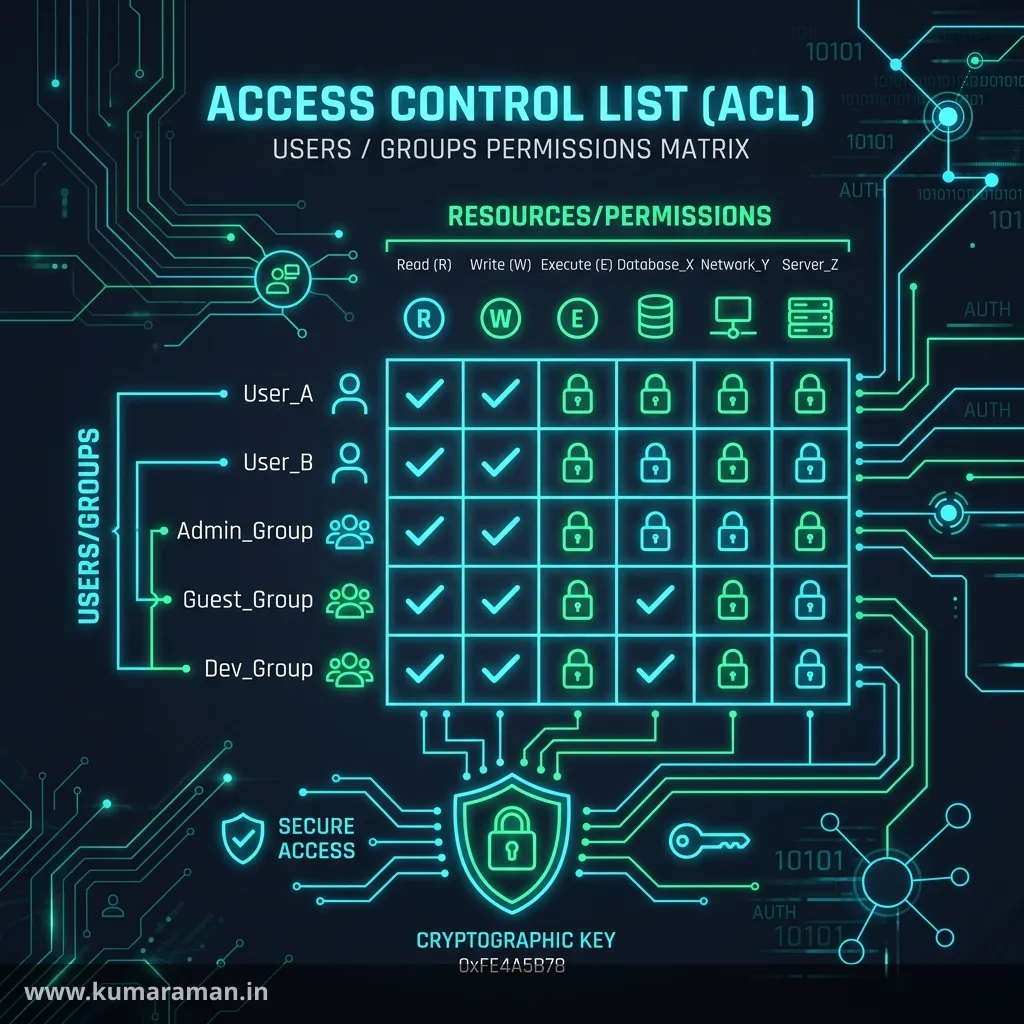
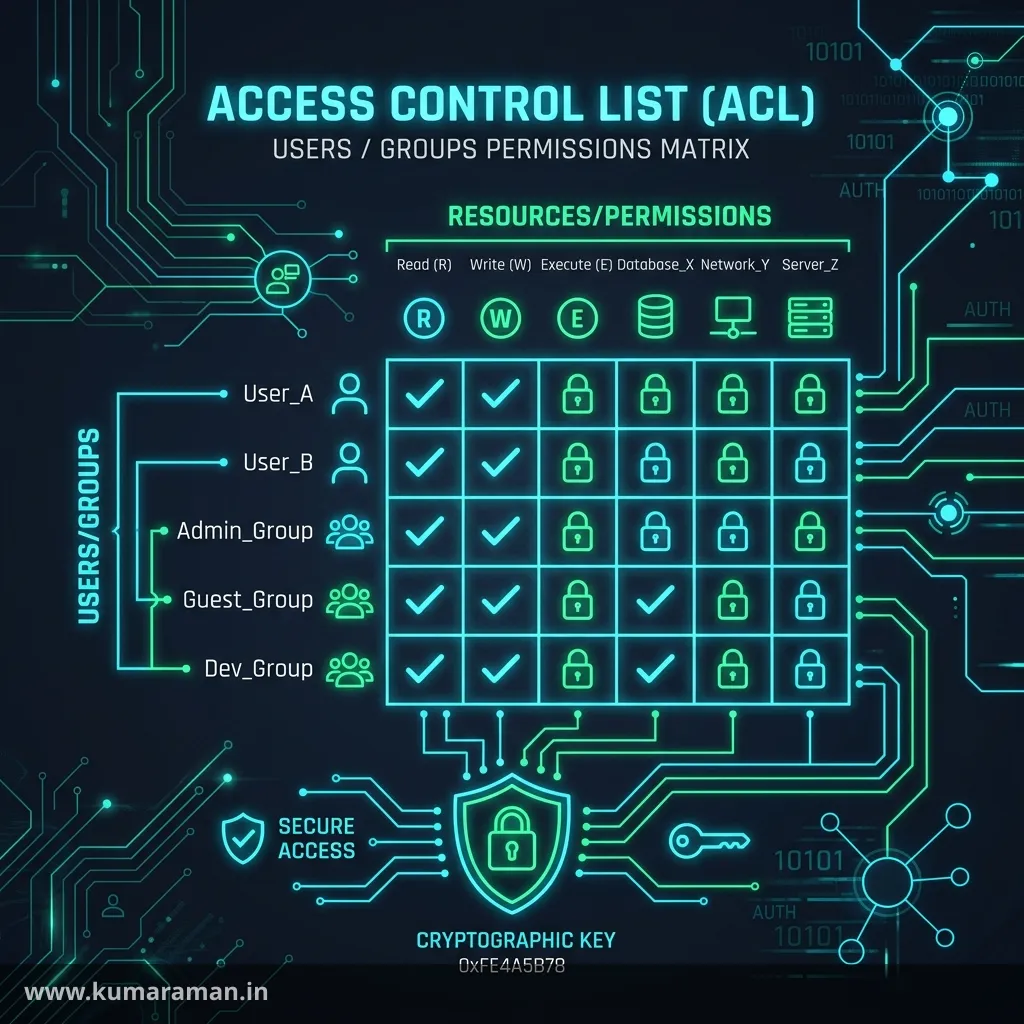
Every request that reaches AEM ends in the same question: is this subject allowed to do this, on this node? Your author's edit, a code-driven workflow step, an anonymous visitor on publish, and a logged-in member reading gated content all go through one mechanism, the Jackrabbit Oak access control model. When permissions are designed well you never notice them. When they aren't, you get authors who can't publish, service code that fails with AccessDeniedException only in production, gated pages leaking through a cache, or an admin-level resolver sitting in a servlet.
This guide builds the picture from the bottom up: authentication vs authorization, principals, how Oak stores and evaluates ACLs, privileges and restrictions, service users and repoinit, principal-based authorization, Closed User Groups and Dispatcher caching, IMS and SAML, and a hardening checklist. Throughout, it flags where AEM as a Cloud Service and AEM 6.5 differ.
It builds on the JCR & Oak guide (where the ACL nodes actually live), the Apache Sling guide (resource resolvers), and the OSGi guide (the configs that drive repoinit and service mapping). For the perimeter side, keep the Dispatcher guide and Web Security Headers guide open.
Authentication vs authorization
The two words get used interchangeably, but in AEM they are separate layers, handled by separate code:
| Authentication | Authorization | |
|---|---|---|
| Question | Who are you? | What may you do here? |
| Handled by | Sling authentication handlers (login token, SAML, IMS, basic auth) | Oak access control and permission evaluation |
| Output | A JCR session for a subject with a set of principals | Allow or deny for each read, write, or admin operation |
| Configured with | Authentication handler OSGi configs, login pages | ACLs, CUG policies, principal policies |
The Sling authenticator picks an authentication handler based on the request path, the handler establishes identity, and the result is a repository session. If no credentials are present on publish, you get the anonymous session. From that point on, every repository access (resolving a resource, running a query, reading a property in HTL) is checked by Oak against that session's principals. If Oak says you can't read a node, Sling can't resolve it, and you usually get a 404 rather than a 403. So a resource that works as admin and 404s for a real user is almost always a read-permission problem, not a missing node.
Users, groups, and principals
Oak's user management stores authorizables in the repository:
- Users (
rep:User) live under/home/users. They're the identities people log in as. - Groups (
rep:Group) live under/home/groups. They collect users and other groups (groups can nest). - System users (
rep:SystemUser) live under/home/users/system. They have no password and can't log in over HTTP. They exist only to be used by code through service authentication.
A principal is the identity access control works with. A logged-in session holds the user's own principal plus one for every group they belong to, directly or through nesting. ACL entries reference principal names, which is why granting to a group works for every member.
The everyone principal
Every subject carries everyone, including the anonymous session, and Adobe says not to modify or delete the group. On publish, an allow granted to everyone is granted to the entire internet, and a deny for everyone applies to everybody (the evaluation rules below decide when a group allow overrides it).
Built-in users and groups
These are the defaults you'll meet on an AEM 6.5 instance, as described in Adobe's User Administration and Security docs:
| Authorizable | Type | What it's for |
|---|---|---|
admin | User | Full system administrator. On 6.5, change its password immediately |
anonymous | User | Identity for unauthenticated requests. Don't disable it; restrict it |
administrators | Group | Full admin rights for all members |
everyone | Group | Every user is a member; default rights for all |
contributor | Group | Basic content write privileges |
content-authors | Group | Content editing (read, modify, create, delete) |
dam-users | Group | Reference group for AEM Assets users |
workflow-users | Group | Can participate in workflows |
user-administrators | Group | Can create and manage users and groups |
Tip: Treat the built-in groups as building blocks, not as your permission model. Create project groups (for example
mysite-authors), put the ACLs on those, and nest built-in or IMS groups into them.
How Oak access control works
Where ACLs live: rep:policy
In Oak's default (resource-based) model, access control is stored on the node it protects. A node that has an ACL gets the rep:AccessControllable mixin and a child node named rep:policy (type rep:ACL). Each child of that policy is one access control entry (ACE), and their order matters (more on that below):
/content/mysite
├── rep:policy                    (rep:ACL)
│   ├── deny                      (rep:DenyACE)
│   │     rep:principalName = "everyone"
│   │     rep:privileges    = [jcr:read]
│   ├── allow                     (rep:GrantACE)
│   │     rep:principalName = "mysite-authors"
│   │     rep:privileges    = [jcr:read, rep:write]
│   └── allow1                    (rep:GrantACE)
│         rep:principalName = "mysite-authors"
│         rep:privileges    = [crx:replicate]
│         rep:restrictions  (rep:Restrictions)
│               rep:glob = "/en/*"
└── en/ ...
Repository-level privileges (such as namespace registration) live in rep:repoPolicy at the root. Policy nodes are protected: you change them through the JCR AccessControlManager API, the permission UIs, or repoinit, never with setProperty.
Privileges
A privilege is the unit you allow or deny. Several of them are aggregates of finer-grained ones:
| Privilege | Meaning |
|---|---|
jcr:read | Read nodes and properties. Aggregate of rep:readNodes and rep:readProperties |
jcr:modifyProperties | Aggregate of rep:addProperties, rep:alterProperties, rep:removeProperties |
jcr:addChildNodes | Create child nodes |
jcr:removeNode / jcr:removeChildNodes | Delete the node / delete its children. Removing a node needs jcr:removeNode on it and jcr:removeChildNodes on its parent |
jcr:write | JCR's "simple write" aggregate (modify properties, add, and remove nodes) |
rep:write | Jackrabbit's "full write" aggregate: jcr:write plus jcr:nodeTypeManagement |
jcr:readAccessControl / jcr:modifyAccessControl | Read / edit ACLs |
jcr:versionManagement, jcr:lockManagement | Check in/out and restore versions / lock nodes |
rep:userManagement | Create and modify users and groups |
crx:replicate | AEM's replicate (publish) permission |
jcr:all | Everything |
crx:replicate needs a note. It's stored and evaluated like any other privilege, but the JCR doesn't enforce it; AEM's replication code checks it.
The UI's Permissions matrix (Read, Modify, Create, Delete, Read ACL, Edit ACL, Replicate) is a friendly mapping onto these privileges. When you need precision, such as "can create pages but not delete them", work in privileges.
Restrictions
A restriction narrows where an ACE applies below the node it's defined on. Oak's default restriction provider supports:
| Restriction | Effect | Oak version |
|---|---|---|
rep:glob | Single path pattern with * wildcards, relative to the ACL's node | 1.0 |
rep:ntNames | Only nodes of the given primary node types | 1.0 |
rep:prefixes | Only items whose name has one of the given namespace prefixes | 1.0 |
rep:itemNames | Only nodes or properties with the given names | 1.3.8 |
rep:current | Only the target node (and optionally named properties), not its subtree | 1.42.0 |
rep:globs | Multi-valued rep:glob | 1.44.0 |
rep:subtrees | Only the given subtrees | 1.44.0 |
rep:glob is the one you'll use most, and its semantics are subtle. According to the Oak documentation, when the ACE sits on /content/mysite:
rep:glob value | Matches |
|---|---|
| (absent) | The node and its entire subtree |
"" (empty string) | Only /content/mysite itself |
/cat | The child cat and its descendants |
/cat/ | Only the descendants of cat (not cat itself) |
* | The node, same-prefix siblings (/content/mysite2), and their descendants |
/*cat | Descendants whose path ends with cat |
Important: The empty-string glob is the classic trick for "let a user list this folder but not read its contents":
allow jcr:readwithrep:glob=""on the folder. Absent and empty are not the same. An ACE with no restriction applies to the whole subtree.
Evaluation order and inheritance
This is where most permission bugs come from. The Oak permission evaluation documentation defines the rules, and they're worth memorizing:
- Permissions inherit down the tree. An ACE on
/contentapplies to/content/mysite/enunless something closer overrides it. - Entries on the target node beat inherited entries. Oak walks from the node up toward the root. An entry closer to the node wins over one further up.
- Within one ACL, later entries beat earlier ones. Entries are evaluated in reverse order, so order in
rep:policymatters. - User principals always beat group principals, regardless of their order or where they sit in the hierarchy. All entries for the user's own principal are evaluated before any group entries.
- Group principals are evaluated together. Oak doesn't rank groups against each other. A user who is in two groups, one allowed and one denied at the same node, gets whichever entry comes later in that ACL. That's why Adobe warns that deny statements from one group can cancel allows from another in ways that are hard to predict.
A worked example: everyone is denied jcr:read on /content/intranet, and employees is allowed jcr:read on /content/intranet/news. An employee can read news because the closer entry wins. They can't read /content/intranet/hr, because the only applicable entry is the inherited deny. If you add deny jcr:read for employees directly on /content/intranet/news/drafts, that closer deny wins for drafts.
Tip: Adobe's standing advice is to prefer allow and use deny sparingly. A model built as "deny broad, allow narrow for groups" is predictable. A model with scattered group-level denies, where users belong to several groups, is not.
The permission UIs and "Effective Permissions"
Two places let you inspect and manage permissions without CRXDE:
- Tools → Security → Permissions (both Cloud Service and 6.5). This is the principal view: pick a user or group and see every path where it has explicit entries, with privileges and restrictions. Add ACE lets you choose a path, one or more privileges from the
jcr,rep, orcrxnamespaces, allow or deny, and restrictions such asrep:glob. For each node it also shows local ACLs and the effective ACLs inherited from every parent up to the root. - Page Properties → Permissions tab (Sites console). Here you can Add Permissions, Edit Closed User Group, and open Effective Permissions, which shows what each principal can actually do on that page once inheritance is taken into account.
When an author says "I can't publish this page", open Effective Permissions before you change anything. The local ACL rarely tells the whole story.
Note: On AEM as a Cloud Service production, you manage content permissions this way at runtime, but anything your application depends on (service users, ACLs that code relies on, groups that workflows assign to) should be deployed as code through repoinit. Changes made by hand in the UI don't exist in your other environments.
Service users
Why loginAdministrative is deprecated
Backend code (schedulers, event handlers, jobs) often needs repository access without a user's session. The old way was ResourceResolverFactory.getAdministrativeResourceResolver() or SlingRepository.loginAdministrative(). Both give full admin rights. Apache Sling deprecated them because they "allow for much too broad access". Adobe's code quality rules flag them, and the replacement is service authentication:
| Deprecated | Replacement |
|---|---|
ResourceResolverFactory.getAdministrativeResourceResolver(...) | ResourceResolverFactory.getServiceResourceResolver(...) |
SlingRepository.loginAdministrative(...) | SlingRepository.loginService(subServiceName, workspace) |
How service mapping works
Service authentication has three parts: a system user with exactly the permissions the task needs, a mapping that says "when bundle X asks for subservice Y, use these principals", and code that asks for a resolver by subservice name. The mapping is configured with factory configurations of org.apache.sling.serviceusermapping.impl.ServiceUserMapperImpl.amended. The service name defaults to the bundle symbolic name of the bundle making the call. Sling supports two mapping formats:
# Principal-name format (recommended)
<bundle-symbolic-name>:<subservice>=[principal-one,principal-two]

# User-ID format (older)
<bundle-symbolic-name>:<subservice>=user-id
Adobe recommends the bracketed principal-name format "as of AEM 6.4". It's faster, and it gives you exact control over effective permissions because the mapped principals are used directly: group memberships aren't resolved. That's also why Adobe's service-user best practices say never put service users in groups.
ui.config/.../osgiconfig/config/org.apache.sling.serviceusermapping.impl.ServiceUserMapperImpl.amended-mysite.cfg.json:
{
  "user.mapping": [
    "com.mysite.core:content-reader=[mysite-content-reader-service]",
    "com.mysite.core:form-writer=[mysite-form-writer-service]"
  ]
}
Using it in code
@Component(service = ContentStats.class)
public class ContentStats {

    private static final String SUBSERVICE = "content-reader";

    @Reference
    private ResourceResolverFactory resolverFactory;

    public int countPages(String rootPath) {
        Map<String, Object> authInfo =
                Collections.singletonMap(ResourceResolverFactory.SUBSERVICE, SUBSERVICE);

        try (ResourceResolver resolver = resolverFactory.getServiceResourceResolver(authInfo)) {
            Resource root = resolver.getResource(rootPath);
            if (root == null) {
                return 0; // missing OR not readable by the service user
            }
            // ... walk / query ...
            return 1;
        } catch (LoginException e) {
            // No mapping, or the mapped system user doesn't exist yet
            throw new IllegalStateException("Service login failed for " + SUBSERVICE, e);
        }
    }
}
Three habits matter here. Always close the resolver (try-with-resources), because leaked resolvers leak sessions. Treat a LoginException as a deployment problem: the mapping or the user is missing. And remember that a null resource can mean "no read permission", not only "doesn't exist". The unit testing guide shows how to test it.
Important: Don't use a service resolver to do work on behalf of a request user when the user's own resolver would do.
request.getResourceResolver()respects the caller's permissions; a broad service resolver in the same servlet is a privilege-escalation path.
Repoinit: permissions as code
Repository initialization (repoinit) is Apache Sling's small declarative language for creating service users, groups, paths, and ACLs. Scripts are delivered as factory configurations of org.apache.sling.jcr.repoinit.RepositoryInitializer, with the script text in the scripts property (a references property can point to external script URLs). It's the documented way to create service users, groups, and ACLs on Cloud Service, and best practice on 6.5 too. Place the configs in ui.config with a descriptive suffix, for example org.apache.sling.jcr.repoinit.RepositoryInitializer~mysite.cfg.json. The usual config.author / config.publish folders scope scripts to a tier.
The language
The statements you'll use most, taken from the Sling repoinit documentation:
# Service users (system users, no password)
create service user mysite-legacy-reader-service with path system/mysite

# Groups and membership
create group mysite-authors
add mysite-editor-lead to group mysite-authors

# Paths / structure
create path (sling:OrderedFolder) /content/dam/mysite
create path /conf/mysite/settings

# Resource-based ACLs, grouped by path ...
set ACL on /content/mysite
    allow jcr:read for mysite-legacy-reader-service
    allow jcr:read,rep:write for mysite-authors
end

# ... or grouped by principal
set ACL for mysite-authors
    allow crx:replicate on /content/mysite
    allow jcr:modifyProperties on /content/mysite restriction(rep:itemNames,jcr:title,jcr:description)
end

# Properties
set properties on /conf/mysite/settings
    default sling:resourceType{String} to mysite/components/config
end
A few details are worth knowing:
- Restrictions are written
restriction(name,value1,value2)after the path, as in therep:itemNamesline above, and a statement can carry more than one. create pathvsensure nodes. Newer repoinit versions deprecatecreate pathin favour ofensure nodes, becausecreate pathnever adjusts the types of existing nodes. Adobe's docs still usecreate path, and it still works. Check what your AEM version's repoinit parser supports before switching.- Cleanup:
delete ACL for,delete principal ACL for, anddisable service user <name> : "reason". - Merging. By default
set ACLmerges into existing entries.(ACLOptions=mergePreserve)and similar options change this. Adobe notes that the.configformat doesn't support every directive, includingACLOptions, so use.cfg.jsonwhen you need them.
A complete .cfg.json
The Sling RepositoryInitializerFactory parses each entry of the scripts array as its own script. The portable way is to keep each complete statement or block (from set ACL to end) in a single string with \n line breaks:
ui.config/.../osgiconfig/config/org.apache.sling.jcr.repoinit.RepositoryInitializer~mysite.cfg.json:
{
  "scripts": [
    "create service user mysite-content-reader-service with path system/cq:services/mysite\nset principal ACL for mysite-content-reader-service\n    allow jcr:read on /content/mysite\n    allow jcr:read on /conf/mysite\nend",
    "create service user mysite-form-writer-service with path system/cq:services/mysite\nset principal ACL for mysite-form-writer-service\n    allow jcr:read,rep:write on /var/mysite/forms\nend",
    "create path (sling:Folder) /var/mysite/forms",
    "create group mysite-authors\nset ACL for mysite-authors\n    allow jcr:read,rep:write,crx:replicate on /content/mysite\n    allow jcr:read on /conf/mysite\nend"
  ]
}
Adobe's tutorials also use the .config format, which supports real multi-line strings. Either works; pick one per project. Repoinit runs at startup and on config change, and its statements are designed to be idempotent, so it's safe on every environment. Scripts execute with admin rights, so review them like code.
Tip: Draft ACLs with the Package Filter Builder and repoinit side by side. Content packages shouldn't carry
rep:policynodes for application-critical permissions on Cloud Service. Repoinit is the source of truth for those.
Principal-based authorization (Cloud Service)
The ACLs above are resource-based: entries sit on the content they protect. Oak 1.16 added an optional second model, principal-based authorization. Here entries are stored with the principal (a rep:PrincipalPolicy under the user), and each entry carries a rep:effectivePath saying where it applies. Only allow entries exist in this model. There is no deny.
Oak's built-in filter limits the model to system user principals located below a configured path. AEM as a Cloud Service uses /home/users/system/cq:services for that path. So on Cloud Service:
create service user mysite-content-reader-service with forced path system/cq:services/mysite
set principal ACL for mysite-content-reader-service
    allow jcr:read on /content/mysite
end
Adobe's service-user tutorial puts the rule in a comment: when using principal ACLs, the service user MUST be created under system/cq:services. If it isn't, the principal ACL can't be applied.
Why bother? A feature's permissions live in one place, next to its user, instead of scattered rep:policy nodes, so they're easy to audit and to delete when the feature is retired. The Oak docs also describe an aggregation filter: when principal-based evaluation fully covers a subject, evaluation can stop there and path-based entries are skipped. Pick one model per service user. Don't mix set ACL and set principal ACL for the same principal and expect them to add up.
A few more version details:
- The Sling docs mark
set principal ACLas deprecated in favour ofensure principal ACL, because the old statement silently does nothing if the principal ACL can't be applied. Adobe's Cloud Service docs still showset principal ACL. If your repoinit version supportsensure principal ACL, prefer it: it fails loudly, which is what you want in CI. home(<user>)resolves a user's home path in a statement, for exampleallow jcr:read on home(mysite-ims-service).- AEM 6.5: classic 6.5 service packs don't ship the
oak-authorization-principalbasedbundle, so on 6.5 use resource-basedset ACLfor service users. If you're on 6.5 LTS, check the bundle list in/system/console/bundlesbefore planning on principal ACLs.
Closed User Groups (CUG) on publish
A Closed User Group restricts read access to a subtree on publish to a list of principals. It's the standard way to build gated areas such as members-only pages, partner portals, and protected downloads. In current AEM versions it's built on Oak's CUG authorization module, and it splits into two independent parts:
| Part | Stored as | Effect |
|---|---|---|
| Authorization | rep:CugMixin on the node + a rep:cugPolicy child (rep:CugPolicy) with rep:principalNames | Read is denied to everyone except the listed principals (and configured excluded principals) |
| Authentication requirement | granite:AuthenticationRequired mixin, optional granite:loginPath | Anonymous requests are redirected to the login page instead of receiving a 404 |
You set both from the page's Properties → Permissions → Edit Closed User Group. The relevant OSGi components are:
| Component | PID | Key properties |
|---|---|---|
| Oak CUG configuration | org.apache.jackrabbit.oak.spi.security.authorization.cug.impl.CugConfiguration | cugSupportedPaths, cugEnabled |
| CUG exclusions | org.apache.jackrabbit.oak.spi.security.authorization.cug.impl.CugExcludeImpl | principalNames |
| Authentication requirement | com.adobe.granite.auth.requirement.impl.DefaultRequirementHandler | supportedPaths |
By default the supported path is /content. On author, CUGs can be managed but are not evaluated, so authors see and edit the content normally. On publish, CUGs are both managed and evaluated. Keep them few and at the top of protected subtrees. Adobe explicitly warns against redundant or nested CUGs where other authorization already restricts reads, because every CUG adds evaluation cost.
A CUG never grants anything the regular ACLs deny. It only removes read access for everyone not listed. The listed principals still need normal jcr:read.
CUGs and the Dispatcher cache
The Dispatcher serves cached files without asking AEM, so a cached gated page goes to whoever asks next. The first line of defence is /allowAuthorized "0" (the default). Requests that carry authentication information aren't cached. That means an Authorization header, an authorization cookie, or a login-token cookie. That's safe, but every member request is a cache miss.
To cache protected pages and keep them protected, use permission-sensitive caching. With the /auth_checker section configured, the Dispatcher sends a HEAD request to a servlet you write, passing the requested URI. It serves the cached file only if the servlet returns 200, and returns a 403 otherwise:
/cache {
  /allowAuthorized "1"

  /auth_checker {
    /url "/bin/permissioncheck"
    /filter {
      /0000 { /glob "*" /type "deny" }
      /0001 { /glob "/content/mysite/members/*.html" /type "allow" }
    }
    /headers {
      /0000 { /glob "*" /type "deny" }
      /0001 { /glob "Set-Cookie:*" /type "allow" }
    }
  }
}@Component(service = Servlet.class, property = {
"sling.servlet.paths=/bin/permissioncheck",
"sling.servlet.methods=HEAD"
})
public class PermissionCheckServlet extends SlingSafeMethodsServlet {
@Override
protected void doHead(SlingHttpServletRequest request, SlingHttpServletResponse response) {
String uri = request.getParameter("uri");
Session session = request.getResourceResolver().adaptTo(Session.class);
try {
// uri is the requested URL, e.g. /content/mysite/members/page.html.
// Resolve it to a resource first so the check runs against the real path.
Resource resource = request.getResourceResolver().resolve(request, uri);
session.checkPermission(resource.getPath(), Session.ACTION_READ);
response.setStatus(HttpServletResponse.SC_OK);
} catch (Exception e) {
response.setStatus(HttpServletResponse.SC_FORBIDDEN);
}
}
}The check runs with the requesting user's session, which is the whole point. Also:
- Allow the servlet through Dispatcher
/filterrules, and make it cheap. It runs on every protected cache hit. - Mind the CDN. A CDN in front of the Dispatcher (always the case on Cloud Service) knows nothing about your auth checker. Adobe's documentation recommends sending
Cache-Control: privatefor protected content so the CDN and browsers don't cache it for everyone. - Test as anonymous. After any change, request a gated URL with no cookies, directly and through the CDN. You should get the login redirect, never the cached page. The Dispatcher Tester helps with the filter side.
Users on Cloud Service vs 6.5
AEM as a Cloud Service: IMS and the Admin Console
On Cloud Service, author logins go through Adobe IMS. Users and groups are managed in the Adobe Admin Console, not in AEM:
- Each environment gets two product profiles, AEM Administrators and AEM Users. An IMS user must be in one of them to log in at all. Adobe warns not to rename these profiles; renaming AEM Administrators removes admin rights from everyone assigned to it.
- Members of AEM Users log in with read access. Members of AEM Administrators get administrative rights.
- A user's IMS user groups sync into AEM when they log in, and appear as AEM groups. You grant permissions by adding those synced groups as members of local AEM groups, such as
dam-usersor your ownmysite-authors. Keep the ACLs on the local groups, which you define with repoinit when code depends on them. - For large organisations, the User Sync Tool syncs users from Active Directory or LDAP into the Admin Console.
The mental model: IMS decides who you are and which groups you're in; AEM's local groups and ACLs decide what those groups can do.
AEM 6.5: local users and LDAP
On 6.5, users and groups are local to the instance by default (Tools → Security), often fed by LDAP through Oak's external identity management or SAML. AMS customers can also integrate IMS. The permission model is identical; only the identity source differs.
SAML SSO on publish
For end-user login on publish (members' areas, partner portals), Cloud Service supports SAML 2.0. It's configured as a factory OSGi config, com.adobe.granite.auth.saml.SamlAuthenticationHandler~<name>.cfg.json, on the publish tier. Author uses IMS; Adobe's SAML tutorial states that SAML isn't supported on author.
{
  "path": ["/content/mysite"],
  "idpUrl": "$[env:SAML_IDP_URL]",
  "idpCertAlias": "$[env:SAML_IDP_CERT_ALIAS]",
  "idpIdentifier": "$[env:SAML_IDP_ID]",
  "serviceProviderEntityId": "$[env:SAML_AEM_ID]",
  "useEncryption": true,
  "spPrivateKeyAlias": "$[env:SAML_AEM_KEYSTORE_ALIAS]",
  "keyStorePassword": "$[secret:SAML_AEM_KEYSTORE_PASSWORD]",
  "createUser": true,
  "userIntermediatePath": "mysite/idp",
  "addGroupMemberships": true,
  "groupMembershipAttribute": "groupMembership",
  "defaultGroups": ["mysite-members"],
  "identitySyncType": "idp_dynamic_simplified_id"
}
The handler authenticates; your CUGs or ACLs decide what users can read, typically by listing the groups mapped from the IdP's group attribute. SAML also needs the IdP certificate in the global trust store, the authentication-service keystore when encrypting, a Dispatcher filter allowing POST to */saml_login, and a Referrer Filter entry for the IdP host. idp_dynamic_simplified_id enables dynamic group membership, which Adobe describes as better for performance.
Security hardening checklist
Permissions are one layer. The others, mostly from Adobe's AEM and Dispatcher security checklists:
The perimeter (Dispatcher)
- Deny by default in
/filter, then allow narrowly. Block/crx/*,/system/*,/bin/querybuilder*,/libs/*(apart from the few client-side endpoints you need),.infinity.json,.tidy.json, and selectors on JSON. The Dispatcher guide has a full probe list. - Keep
/allowAuthorized "0"unless you've implemented permission-sensitive caching.
Credentials (6.5 in particular)
- Change the
adminpassword, and the OSGi Web Console credentials (a separate setting in the Apache Felix OSGi Management Console configuration). - Remove or re-password the demo
authoruser. Use dedicated, least-privilege users for replication and transport, neveradmin. - Run production in production ready mode (
-r nosamplecontent). It removes sample content and disables CRXDE Lite and WebDAV access on publish. Adobe notes it covers most but not all checklist items. - Cloud Service removes much of this: admin access comes through IMS,
/appsand/libsare immutable, and deployment goes only through Cloud Manager.
Request forgery
- CSRF protection framework. Authenticated
POST,PUT, andDELETErequests on author and publish need a CSRF token. Include thegranite.csrf.standaloneclient library (orgranite.jquery), which fetches/libs/granite/csrf/token.jsonand sends the token as theCSRF-Tokenheader (or the:cq_csrf_tokenparameter for forms). The filter,com.adobe.granite.csrf.impl.CSRFFilter, returns 403 without a valid token. On publish, allowGET /libs/granite/csrf/token.jsonthrough the Dispatcher. - Sling Referrer Filter (
org.apache.sling.security.impl.ReferrerFilter). It checks theRefererheader on modifying methods againstallow.hosts, withallow.emptyandfilter.methods. Add your real hostnames and your IdP. Don't "fix" a 403 by allowing everything.
Output encoding (XSS)
- HTL escapes output by context automatically: HTML text, attributes, URLs (
href,src), and so on. Override the context only deliberately, for example@ context='html'for rich text, which is filtered against AEM's XSS rules, rather than@ context='unsafe'. The HTL reference lists every context. - In Java, use
XSSAPIto filter or encode anything you write into markup outside HTL.
Everything else
- Restrict
anonymousandeveryoneon publish to exactly the content that should be public. Adobe provides an Anonymous Permission Hardening Package for 6.5. - Custom error handlers, so stack traces never reach visitors.
- Set clickjacking protection (
X-Frame-Optionsor CSPframe-ancestors) and other headers. Check them with the Security Headers tool. - On 6.5, keep
json.maximumresultson the Apache Sling GET Servlet at a sane value (the checklist uses 1000) so the default JSON renderer can't dump huge trees.
Cheat sheet
| Need | Use | Where / notes |
|---|---|---|
| Who can read/write a node | ACE in rep:policy | rep:GrantACE / rep:DenyACE, by principal name |
| Full authoring write | rep:write | jcr:write + jcr:nodeTypeManagement |
| Publish permission | crx:replicate | Checked by AEM, not the JCR |
| Only this node, not children | rep:glob = "" | Absent glob means whole subtree |
| Only certain properties | rep:itemNames | e.g. jcr:title,jcr:description |
| Who wins | user > group; closer > inherited; later > earlier | Oak evaluation rules |
| See real access | Page Properties → Permissions → Effective Permissions | Or Tools → Security → Permissions |
| Backend access | Service user + getServiceResourceResolver | Never getAdministrativeResourceResolver |
| Map bundle to user | ServiceUserMapperImpl.amended-*.cfg.json | bundle:subservice=[principal] |
| Users/ACLs as code | Repoinit | RepositoryInitializer~name.cfg.json, scripts |
| Service user ACLs on Cloud Service | set principal ACL / ensure principal ACL | User must be under system/cq:services |
| Gated publish content | CUG + authentication requirement | rep:cugPolicy, granite:AuthenticationRequired |
| Cache gated pages safely | /auth_checker + servlet | Plus Cache-Control: private for the CDN |
| Member SSO (publish) | SAML handler | com.adobe.granite.auth.saml.SamlAuthenticationHandler~ |
| CSRF | granite.csrf.standalone | CSRF-Token header, /libs/granite/csrf/token.json |
Best practices
- ✅ Grant to groups, never to individual users; nest IMS or LDAP groups into local groups that carry the ACLs.
- ✅ Prefer allow; use deny rarely, deliberately, and high in the tree.
- ✅ Define service users, application groups, and their ACLs in repoinit, reviewed and deployed like code.
- ✅ One service user per task, named
entity-task-service, with the minimum privileges and the[principal]mapping format. - ✅ On Cloud Service, create service users under
system/cq:servicesand use principal ACLs for them. - ✅ Use restrictions (
rep:glob,rep:itemNames) instead of splitting content just to fit permissions. - ✅ Keep gated content under dedicated paths so CUGs, auth checker filters, and CDN rules can target them cleanly.
- ✅ Verify permissions with Effective Permissions and by logging in as a test user, not as admin.
Do's and Don'ts
Do
- ✅ Use the requesting user's resolver in servlets whenever the user's own permissions should apply.
- ✅ Send
Cache-Control: privateon protected responses so the CDN doesn't cache them. - ✅ Put each complete repoinit block in one
scriptsentry in.cfg.json. - ✅ Test gated URLs anonymously, directly and through the CDN, after every change.
- ✅ Run the Adobe security checklist before every go-live, and on 6.5 use production ready mode.
Don't
- ❌ Don't use
getAdministrativeResourceResolverorloginAdministrative. Use service users. - ❌ Don't grant anything to
everyoneyou wouldn't publish to the whole internet, and don't modify or delete the group. - ❌ Don't put service users in groups; principal mappings don't resolve group membership anyway.
- ❌ Don't mix resource-based and principal-based ACLs for the same service user.
- ❌ Don't hand-edit
rep:policynodes or ship application ACLs only in content packages on Cloud Service. - ❌ Don't nest CUGs or add them where ACLs already restrict reads. It costs performance for no gain.
- ❌ Don't silence a CSRF or Referrer Filter 403 by allowing all hosts or excluding paths wholesale.
Wrapping up
AEM security is one model applied everywhere. Authentication turns a request into a subject with principals; Oak evaluates ACEs for those principals by strict rules (user over group, closer over inherited, later over earlier); privileges and restrictions make each entry precise. Add group-based ACLs, service users defined in repoinit, principal-based ACLs on Cloud Service, and CUGs protected through the Dispatcher and CDN, and your permissions become reviewable, reproducible code. The perimeter work (filters, CSRF, Referrer Filter, HTL escaping, credentials) keeps that model from being bypassed.
Continue with the Dispatcher guide for the filter and cache side of security, the Cloud Service guide for how repoinit and config fit the cloud deployment model, the 6.5 to Cloud Service migration guide for moving legacy users and ACLs, and the Sling guide for resource resolvers in depth.
Further reading
- Apache Sling — Repository Initialization (repoinit)
- Apache Sling — Service Authentication
- Jackrabbit Oak — Permission Evaluation
- Jackrabbit Oak — Restriction Management
- Jackrabbit Oak — Managing Access by Principal
- Best Practices for Sling Service User Mapping and Service User Definition
- Dispatcher — Caching Secured Content
Discussion
Loading discussion…
Try a related tool
Subscribe to the Newsletter
Get the latest articles, tutorials, and tech insights delivered straight to your inbox. No spam, unsubscribe anytime.